Meeting Notes for Small Businesses: Turn Decisions into Next Steps
October 13, 2026
A client call ends with a promising plan. Then the notes sit in a document while the actual work stays vague: someone should revise the proposal, someone should check the dates, and everyone assumes the next step belongs to someone else. A small-business meeting notes template should help you move from that conversation to work you can actually pick up.
Use the simple method below for a client call, a weekly team check-in or a planning session with a collaborator. You can start in a plain document. The important result is a short record of decisions, agreed actions and unresolved questions.
Start with three separate kinds of notes
A decision records a choice: the client approved the smaller launch scope. An action records work: prepare the revised proposal. An open question records something still unknown: whether the venue is available. Keeping these separate stops an unresolved idea from looking like an approved commitment.
Atlassian’s meeting-notes guidance similarly separates meeting context, decisions and actions with owners and deadlines. This ReadyDesk method adds a practical closing check and a weekly follow-through habit for a small business.
Copy this short meeting record
Meeting: [purpose and date]. People: [participants]. Source: [relevant brief or notes]. Keep private client information in your own authorized business storage.
Decisions: [what was agreed, by whom, and any limits]. Actions: [specific result], [one accountable owner], [agreed due date], [status or dependency], [where the result will be saved]. Open questions: [what is missing], [who will confirm it], [when you will check again].
Before closing: confirm the action list, the open questions and who will share the agreed recap. Afterward: move each action to the place you already review your work.
A worked example: a revised client proposal
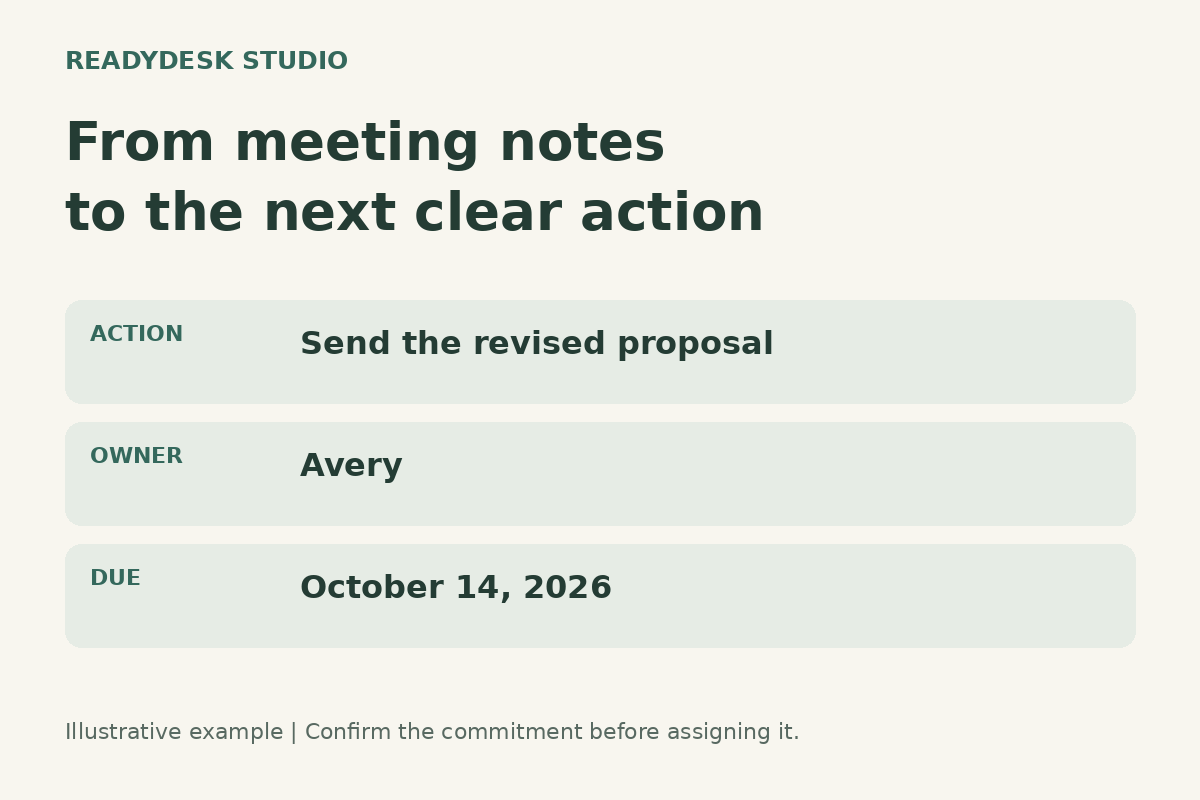
This is a fictional example. A solo design business and its client agree to reduce a project from five pages to three. The notes should not simply say “update website proposal.” That phrase leaves the deliverable, owner and timing unclear.
Decision: use the three-page scope discussed in the call; the revised price still needs client approval. Action: Avery will send a revised three-page proposal by October 14, 2026, including the scope, price and proposed delivery date. Save the proposal link beside the action. Status: in progress.
Open question: the client has not confirmed whether photography is included. Avery will ask for that choice before finalizing the proposal. Do not quietly turn the uncertain photography work into a promised deliverable.
If the client has not agreed to a delivery date, write “date to confirm” and assign the confirmation step. A tidy-looking invented date is less useful than an honest next action.
Close the meeting by checking the commitments
Read the action list back while people are still available. Ask whether each owner accepts the task and whether the date fits the work. Clarify what “done” looks like: a proposal sent for review, a price approved, or a file uploaded for handover are different outcomes.
Name one accountable owner even when several people contribute. For a solo operator, that owner may be you. The purpose is to make the next step easy to find, not to create a complicated reporting structure.
Where work depends on something else, record both the dependency and the follow-up. “Waiting for client assets” is a state. “Ask the client for the missing logo on Tuesday” is work you can perform.
Move actions into the working week
Your meeting notes are the record of the conversation. Your task list or project tracker is where you manage the work. Copy the agreed actions into the existing place you review, and include a link back to the meeting record so context remains available.
At your weekly review, look for three things: actions due soon, actions blocked by someone else, and actions that are actually finished. Record evidence of completion, such as the saved proposal or the approval message. Change the status when the work changes.
Avoid maintaining several competing task lists. If you use a workbook, keep one working copy and a clear review habit. If you already use an app, use its task list rather than buying another tool just for meeting follow-up.
When AI helps draft the recap
AI can help organize notes you are allowed to share with the tool. Treat the output as a draft. Check each proposed decision, owner and deadline against the actual conversation. Mark missing details explicitly, and keep private information out of tools that are not authorized for that client.
Do not let an automatic summary create approval that never happened. The business owner still needs to review customer commitments before sending a recap or changing scope.
Common questions
Do I need a transcript?
For an ordinary working check-in, this method needs enough context to explain the decisions and actions. It does not require you to reproduce every sentence. Formal or regulated meetings may have separate record requirements; follow those rather than relying on this working template.
What if nobody can commit to a deadline?
Record the uncertainty and a date to confirm the plan. Break an oversized task into the first concrete result. You can commit to reviewing a draft without pretending the whole project’s final delivery date is settled.
What belongs in the paid kit?
The ReadyDesk Ops Starter Kit includes an editable meeting-to-action document and a matching static PDF, alongside its weekly/project workbook, SOP documents, 30-day setup guide and START-HERE file. It is eight files in one ZIP for $47 USD once. It does not include a subscription, automatic meeting recorder or done-for-you setup.
Start with one meeting
Use the outline above for your next call. If you want a smaller starting point for your working week, the free Weekly Reset is ungated and does not require an email address. If you want the editable file collection, review the ReadyDesk kit page for contents, formats and delivery information.
Atlassian: meeting-notes guidance
Related: What to Put in a Weekly Business Dashboard