
How to Write a Simple SOP for Your Small Business
October 6, 2026
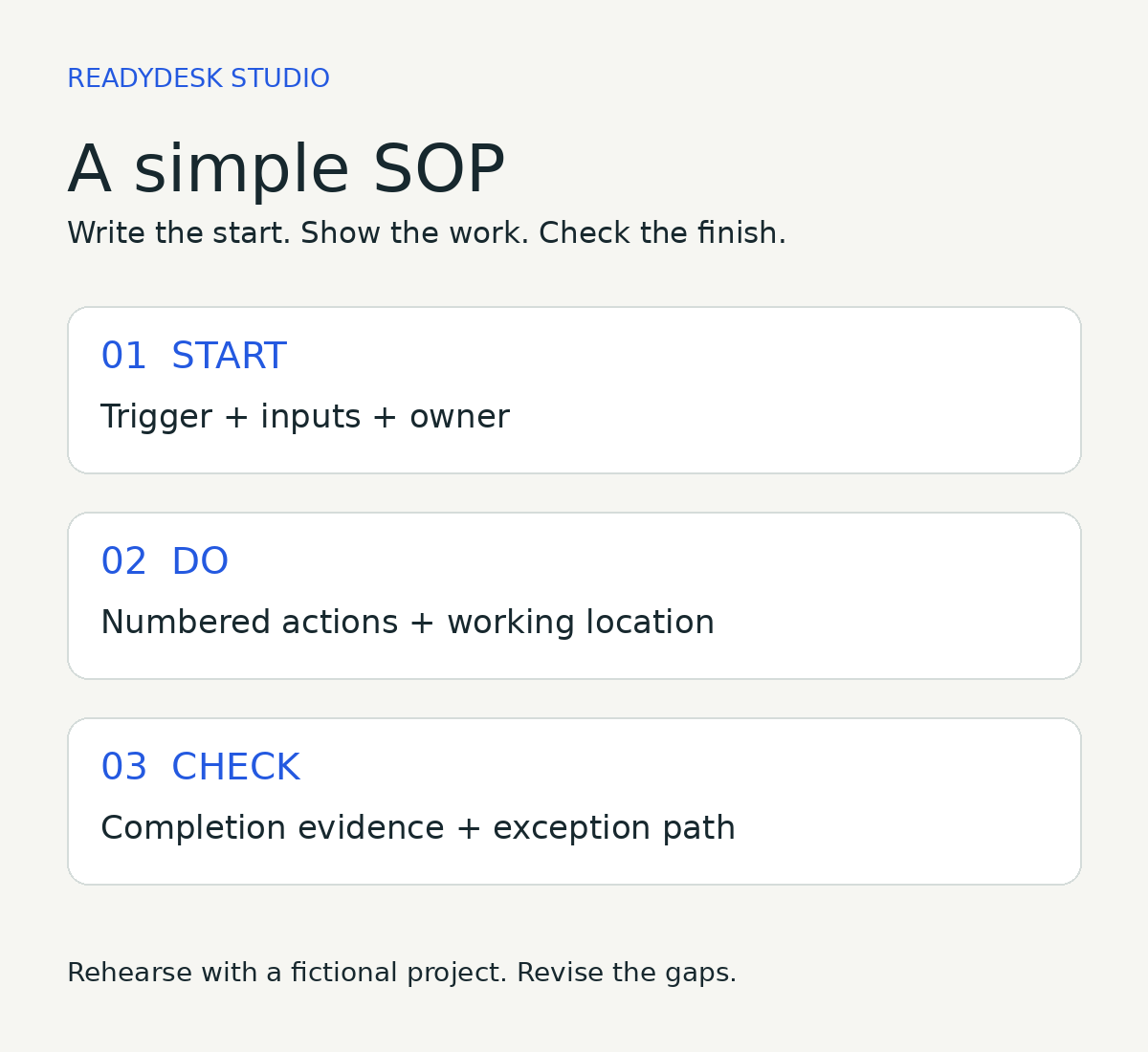
A useful standard operating procedure tells you when to start a task, what to do, and how to know it is finished. For a solo business or small team, begin with one recurring task you already understand. Write the instructions, try them, and correct the gaps before handing the work to someone else.
An SOP does not need to capture your whole business. A narrow procedure for preparing a client kickoff, reviewing a project, or closing the week is easier to test than a document called “How we run everything.”
1. Pick a task with a clear beginning and end
Choose work that repeats and causes avoidable questions. “Prepare a client kickoff” is a workable scope. “Manage clients” is too broad.
Write two sentences first: “This procedure starts when…” and “This procedure is finished when…”. If you cannot explain those boundaries, decide them before listing steps. Do not include work you have not actually agreed to provide.
For a fictional design business, the start might be a signed scope and confirmed payment. The finish might be a checked project record, a prepared kickoff agenda, and a kickoff time agreed with the client. This example is a planning exercise, not a claim about a real customer or a universal payment policy.
2. Record the trigger, inputs, owner, and location
At the top of the procedure, name the person responsible for the result. A solo founder can be that person, but the field still matters: it tells a future helper who answers questions and approves exceptions.
List the required inputs, such as the agreed scope, due date, and customer preferences. Name the working location precisely enough that the operator can find it. “Open the project tracker in the client folder” is more useful than “check the system.” Keep passwords and sensitive customer details out of broadly shared instructions.
Add a procedure name, version, and review date. These small labels help a reader distinguish the current instructions from an old copy. Give any supporting files clear names rather than relying on someone to remember which attachment is correct.
3. Write actions someone can follow
Use numbered steps in the order the work happens. Start each step with a verb: open, check, copy, record, compare, or save. Name the input and the expected result.
Replace “set up the project properly” with “create a project row containing the agreed deliverable, owner, next action, and due date.” Replace “send everything” with a list of the specific material the customer should receive. If sending requires approval, say who approves it and pause there.
Include only the decisions the operator needs at that point. Put background explanations after the steps or in a linked reference. Keep a screenshot only when it makes an unfamiliar screen easier to find; update it if that screen changes.
The EPA’s April 2007 guidance on SOPs recommends concise, ordered instructions, review by people familiar with the process, and a trial by someone other than the original writer. We are adapting those general writing practices here to everyday small-business work. This is not a claim that a business needs an EPA-compliant procedure.
4. Define “done” with checks
A final step called “complete the task” is not a completion check. State what a reviewer can inspect: a saved file opens, a project row includes the agreed date, or the customer has the correct instructions.
Distinguish preparation from delivery. A drafted email is prepared; it has not been received. A configured download is available in the system; that alone does not prove a buyer saved and reopened it. Record the evidence your actual offer needs, and leave the obligation open until that evidence exists.
5. Write the exception path before it is needed
Decide what happens when an input is missing, a file fails, or the customer requests work outside the agreed scope. A simple rule is enough: pause the affected step, record the issue, and ask the named owner for the next decision.
Do not let an operator guess a refund, new fee, new deadline, or expanded service. Those decisions need the authority required by your business. Include the support route and the information needed to investigate, without placing private case details in the procedure itself.
A worked example: prepare a client kickoff
Procedure: Prepare a client kickoff. Owner: Project lead. Trigger: The agreed scope and required payment confirmation are available. Inputs: Scope, contact preferences, project due date. Location: The business’s approved client folder and project tracker.
Open the agreed scope. List the deliverables and exclusions in the project record. If the scope is missing or contradictory, stop and ask the project lead.
Create the project row. Record the owner, status, next action, and agreed due date. Use a fictional record when rehearsing the procedure.
Create a working folder using the business’s naming convention. Save the agreed scope and a blank kickoff agenda there. Keep access limited to the people who need it.
Prepare the agenda. Include the deliverable, customer inputs still needed, next milestone, and open questions. Check every date against the agreed scope.
Prepare the kickoff message using the approved contact channel. Obtain any required approval before sending. Record the actual send and the agreed kickoff time when they happen.
Check that the saved agenda reopens, the tracker matches the scope, and remaining questions have an owner. Record any unresolved dependency instead of marking everything complete.
Finish check: The project record and agenda are usable, the scope matches the promised work, and the kickoff time is agreed. Exception: Missing inputs or a new request go to the project lead for a decision. Review: Update the procedure after a real use reveals a missing step.
Test it once, then keep one current copy
Run through the instructions using a fictional project before involving a customer. Ask a fresh reader to follow them without your explanation. Note every place they stop, then revise that step. If you work alone, return later and follow the written instructions rather than your memory.
Keep one current master and use working copies for individual projects. Review the procedure when the offer, tools, responsible person, or approval rules change. A procedure that matches the work is more useful than a polished document nobody can follow.
Choose your starting point
The free Weekly Reset helps you choose three priorities and give them next steps. It works in your browser and requires no email. It is a planning sample rather than the full kit.
The ReadyDesk Ops Starter Kit is $47 USD once and includes eight downloadable files: an Excel workbook, three editable Word documents, three static PDF editions, and a START-HERE guide. It includes an SOP template with a filled example, project and weekly planning tools, meeting-to-action materials, and a 30-day setup guide. The PDFs are reading and printing copies, not fillable forms. These are files you maintain, not an automated service or software subscription. The license covers the internal work of one business and its team.
If you prefer a paper rehearsal, a pen is enough. Optional tool: check the PILOT G2 pen listing on Amazon. This is an affiliate link; ReadyDesk may earn a commission from qualifying purchases. Amazon handles its own checkout, price, availability, and fulfillment. Buying a tool is not required to use this guide.
Source: EPA, Guidance for Preparing Standard Operating Procedures, EPA QA/G-6, April 2007, particularly its guidance on writing, review, and testing. This article’s worked example and suggested small-business format are original ReadyDesk guidance.